
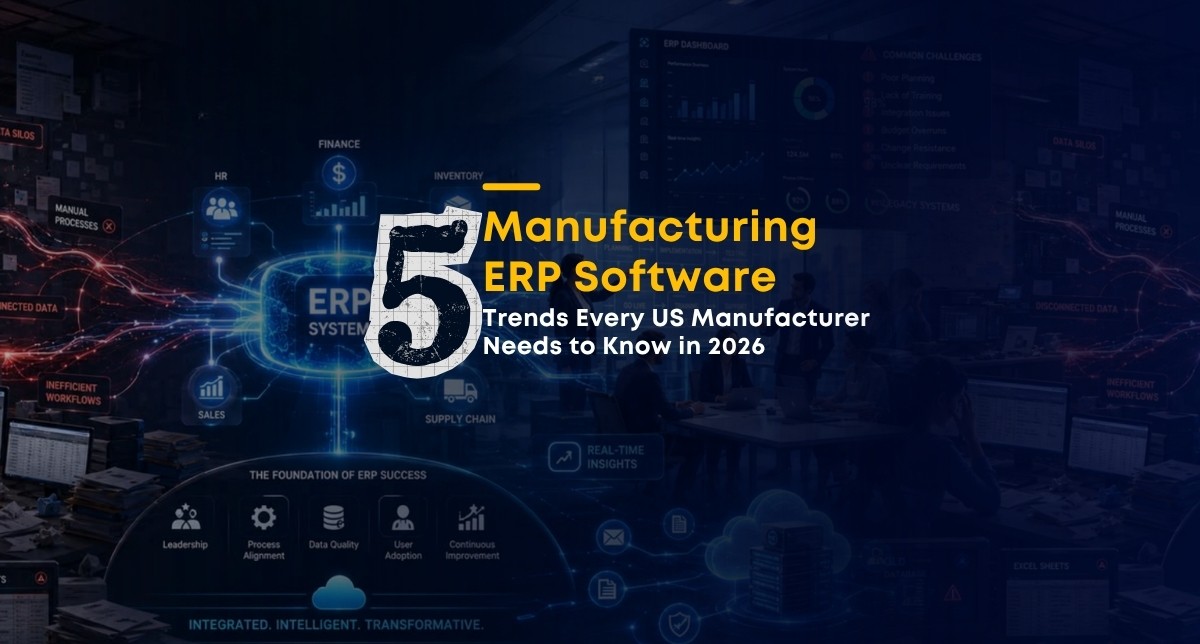
If your manufacturing ERP software has not changed meaningfully since 2023, your competitors have already moved ahead.
This is not about chasing technology for its own sake. Manufacturers across the US are using newer ERP features to cut downtime, reduce excess inventory, and hit delivery commitments more consistently. The plants that ignore these shifts are the ones falling behind on lead times and losing repeat business.
This guide covers the five trends reshaping manufacturing ERP software in 2026, what they mean in practice, and how mid-size manufacturers between 200 and 800 employees can act on them without a massive budget or a lengthy implementation.
1. Predictive Analytics: Knowing What Will Break Before It Does
Most manufacturers still run maintenance on a fixed schedule or wait until something fails. Both approaches cost money. Fixed schedules service equipment that does not need it. Reactive maintenance costs three to five times more per incident than planned work.
Predictive analytics in manufacturing ERP software changes this by connecting machine sensor data to your ERP and flagging likely failures before they happen.
Here is how it works in plain terms:
Your machines generate data continuously: temperature, vibration, pressure, cycle speed
That data flows into the ERP in real time
AI models, such as Microsoft Copilot inside Dynamics 365, analyze the patterns
When the data deviates from normal ranges, the system flags a likely issue and suggests a maintenance window before the failure occurs
A 500-employee plastics manufacturer in Indiana added Copilot-powered predictive analytics to their Dynamics 365 setup and cut unplanned downtime by 18% within 90 days. The models caught bearing wear seven days before failure, turning an emergency shutdown into a scheduled 4-hour fix.
A food processor in Texas that NSquare Xperts worked with saw similar results. The predictive models identified motor issues five days ahead of failure, cutting emergency maintenance calls by 22%.
What this means for your ERP: You need a system that can connect to time-series sensor data, run AI models against it, and surface alerts to your operations team. Dynamics 365 with Microsoft Copilot supports this natively for mid-market manufacturers.
A question that comes up often from manufacturing teams researching this topic: "How much historical data do you need before predictive models become useful?" The practical answer is 12 months of production logs and maintenance records. That gives models enough pattern data to distinguish a normal temperature spike from a warning sign. You do not need years of perfectly clean data to start.
2. IoT Integration: Getting Real Data Off the Shop Floor
Most manufacturing ERP systems are updated manually or on batch cycles. Operators log job completions. Supervisors enter downtime reasons. Quality issues get recorded hours after they happen. By the time the data hits the system, the window to act has already closed.
IoT integration solves this by connecting machines, sensors, and devices directly to the ERP so production data flows in automatically and in real time.
A UK electronics manufacturer with 250 employees installed 120 IoT sensors connected to their Salesforce CRM. Within two weeks, scrap rates dropped 9% because operations managers could see line performance in real time instead of waiting for end-of-shift reports.
For batch manufacturers, IoT monitoring focuses on environmental conditions: temperature, humidity, and pressure that affect product quality. For discrete manufacturers, it tracks tool usage, machine cycle counts, and throughput rates.
Security is not optional here. Connecting shop floor devices to your ERP creates new data exposure points. At a pharmaceutical client in Dubai, NSquare implemented Azure IoT Edge modules with encrypted MQTT data streams. The result was zero data loss and full GDPR compliance within six weeks. Securing the connection is part of the implementation, not an afterthought.
Specific results manufacturers can expect from IoT integration with their ERP:
Out-of-spec batch reduction by monitoring temperature and humidity in real time
Tool uptime improvement by tracking RFID-tagged tooling against planned replacement cycles
Scrap reduction through immediate quality alerts instead of end-of-day summaries
Line efficiency gains of 10 to 15% within the first 60 days, based on NSquare's deployments
A common question from plant managers researching this: "Can we connect IoT sensors to our existing ERP without replacing the whole system?" Yes. IoT middleware layers, including Azure IoT Edge, can connect physical devices to Dynamics 365 or Salesforce without requiring a platform change. The integration is the project, not the ERP replacement.
3. AI-Driven Scheduling and Field Service
AI in manufacturing ERP software is no longer about dashboards and reports. In 2026, it is about the system making scheduling decisions on its own and alerting a human only when intervention is needed.
Two areas where AI delivers the clearest results for mid-market manufacturers are production scheduling and field service dispatch.
Production scheduling: AI-driven scheduling optimizes how jobs are sequenced across work centers based on machine load, material availability, and delivery priority. A 400-employee plastics manufacturer in Singapore running Salesforce Agentforce cut order lead time by two days and improved machine throughput by 12% within the first quarter.
Field service dispatch: A mid-size HVAC equipment firm in Texas automated field dispatch using NSquare's FieSA platform on Dynamics 365 Field Service, paired with Call Integra CTI. The result: call-to-dispatch time dropped from 45 minutes to 12 minutes. Service reps stopped manually matching engineers to jobs and started reviewing recommendations the AI generated.
What is the difference between AI scheduling and the standard ERP scheduler? Standard ERP schedulers follow rules you define sequence by due date, assign to available resources in order. AI schedulers learn from your production history and optimize continuously, factoring in machine performance patterns, shift variance, and changeover costs. The standard scheduler follows instructions. The AI scheduler improves over time.
NSquare's AI-driven scheduling deployments on D365 Production Control have consistently lifted throughput by 10 to 12% while reducing inventory holding costs by 8%, with ROI typically visible within three months.
4. Low-Code Tools: Letting Your Operations Team Build What They Need
One of the most practical changes in manufacturing ERP software over the past two years is the rise of low-code development tools inside the ERP platform itself.
Microsoft Power Platform, which is built into Dynamics 365, allows plant managers, quality engineers, and operations leads to build their own apps, dashboards, and approval workflows without writing a single line of code.
This matters because IT backlogs at mid-size manufacturers are real. The standard process: operations team requests a custom report, IT logs it, IT builds it six weeks later, operations team changes the requirement, cycle repeats. Low-code tools let the person who needs the tool build it themselves in days.
Real examples from NSquare's client base:
A 600-employee packaging subsidiary in Dubai built a mobile quality hold app in Power Apps in 10 days without any developer involvement
A UK textile manufacturer launched six custom dashboards in eight weeks using NSquare's prebuilt Power Platform templates
A Pune-based electronics board manufacturer reduced IT backlog by 55% and cut custom build costs by 45%
Is low-code reliable enough for production use? Yes, when proper governance is in place. Version control, access permissions, and testing protocols need to be established before citizen developers start building. Without governance, you end up with apps that break when someone leaves the company. With it, you end up with a faster, more responsive operations team that is not waiting on IT for every small improvement.
Low code does not replace your ERP developers. It removes routine request volume from their queue so they can focus on the integrations and customizations that actually need engineering expertise.
5. Digital Twins: Testing Changes Before You Make Them
A digital twin is a virtual model of your physical plant, production line, or individual machine that updates in real time based on live sensor and ERP data.
The most practical use for mid-market manufacturers is scenario testing. Before you change a production layout, rebalance a line, or adjust a furnace cycle, you can run the change in the digital twin and see what happens without stopping the floor.
A 700-employee aerospace castings workshop connected Azure Digital Twins to their Dynamics 365 Finance and Operations setup and ran simulations of furnace cycle adjustments. They identified heat soak inefficiencies the team had not caught through normal operations. Energy usage dropped 9% after implementing the changes the simulation recommended.
In a separate project, virtual test runs of a new assembly layout reduced line balancing problems by 28% before a single physical change was made. That is the core value: de-risking operational changes by running them in a virtual environment first.
How is a digital twin different from a simulation tool? A simulation tool runs a theoretical model. A digital twin runs a model that mirrors your actual equipment, actual current state, and actual production data. The outputs are grounded in real operating conditions, not assumptions. The closer the twin is to real-time data, the more accurate and useful the outputs are.
What does it cost to implement a digital twin for a mid-size manufacturer? The cost depends heavily on how many assets you are mirroring and how much sensor infrastructure is already in place. A targeted digital twin focused on two or three critical assets or a single production line is a realistic starting point, and it is significantly less expensive than a plant-wide deployment. Starting small and expanding the twin as you see results is the approach NSquare recommends.
What Ties All Five Trends Together
Each of these five areas, predictive analytics, IoT integration, AI scheduling, low-code tools, and digital twins, requires the same foundation: a manufacturing ERP software platform that can receive real-time data, process it quickly, and surface it to the right person in a usable format.
Legacy ERP systems that run on nightly batch cycles and require developer support for every customization cannot support this. They were built for a different operating environment.
Cloud-based ERP platforms like Dynamics 365 and Salesforce are built for it. They ingest live data, support AI modules natively, and provide the low-code tools teams need to adapt quickly. The gap between manufacturers running cloud ERP and those still on legacy systems will continue to widen through 2026 and beyond.
Should manufacturers switch to cloud ERP in 2026? For most mid-size manufacturers still on legacy on-premises systems, yes. Cloud ERP delivers faster updates, lower infrastructure costs, built-in AI capabilities, and pay-as-you-scale pricing. The upfront cost of moving is real, but it is typically recovered within two years through efficiency gains, reduced IT overhead, and avoided upgrade costs on aging infrastructure. For manufacturers already on Dynamics 365 or Salesforce, the priority is activating the features covered in this guide.
What to Do First
If you are a CIO or VP of Operations at a mid-size manufacturing plant in the US, here is a practical starting sequence:
Audit your current ERP data quality. Predictive analytics and AI scheduling only work if the data going into the models is accurate. Clean your work center records, routing data, and maintenance logs before adding AI modules.
Identify one high-cost problem. Unplanned downtime, excess inventory, missed delivery dates. Pick the one that is costing you the most and match it to the trend most likely to address it.
Start with a pilot. One production line. One work centre. One asset. Prove the ROI in a contained environment before scaling.
Govern your low-code deployments. If you are on Dynamics 365, activate Power Platform governance before opening citizen developer access. Set access controls, establish version management, and define what types of apps need IT review.
Connect field service to production. If you have field-maintained equipment, integrate your field service system with your ERP so machine availability updates automatically when a service job closes.
--
Author: Kirit Mandavgane, Chief Strategy Officer at NSquare Xperts
A seasoned Microsoft technology strategist specializing in Microsoft Dynamics 365, the Microsoft Power Platform, and Microsoft Copilot. He advises organizations on CRM, ERP, automation, and AI initiatives, helping them accelerate digital transformation and achieve measurable business outcomes.


