
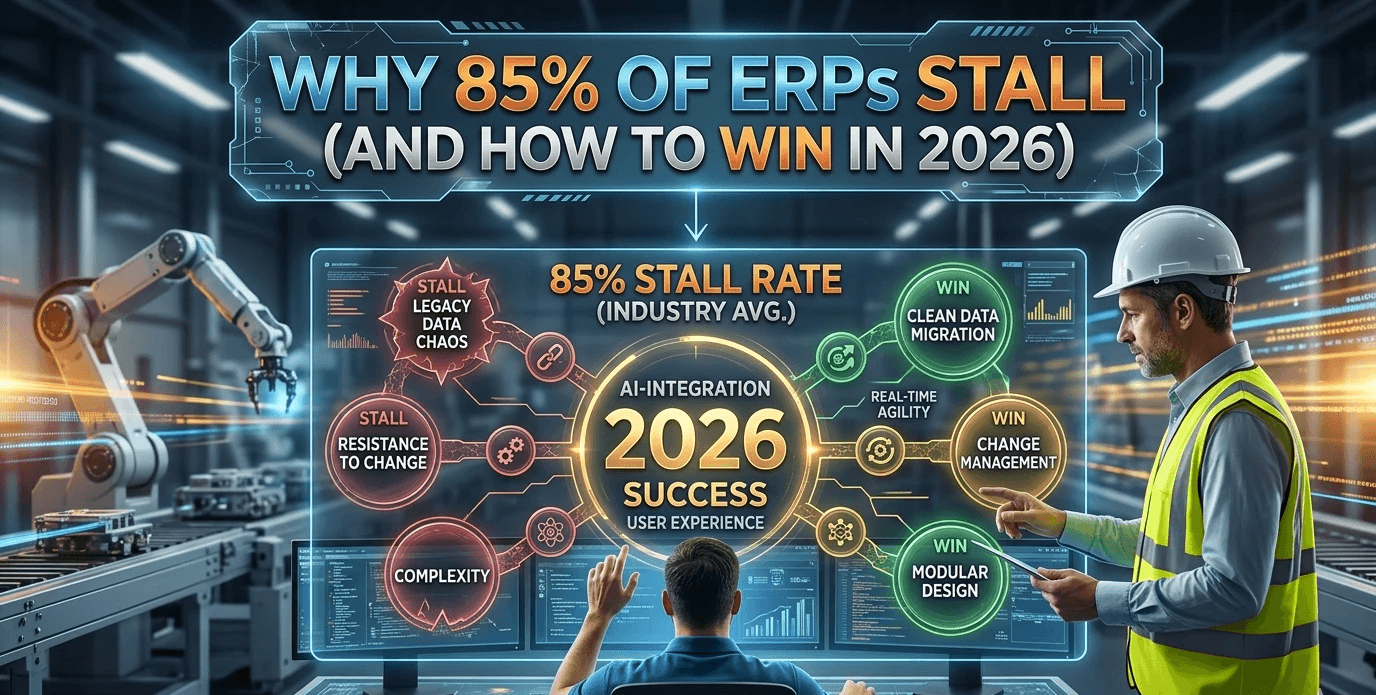
In April 2026, a 500-employee precision engineering firm paused its Dynamics 365 Business Central rollout at the nine-month mark. Sunk cost: $2 million. ROI: zero.
This isn't an outlier. It's a pattern that plays out across mid-market manufacturing every quarter, and the cause is almost never the software. It's the decisions made before, during, and immediately after deployment.
This guide covers the six categories where mid-market manufacturing ERP implementations most commonly break down in 2026, and what teams that succeed do differently.
Who This Is For
CIOs, CTOs, CFOs, VPs of Operations, and IT Directors at manufacturers in the 100 to 2,000 employee range evaluating or actively implementing Microsoft Dynamics 365 Business Central, Salesforce Manufacturing Cloud, or comparable mid-market ERP platforms.
1. Generic ERP Templates Don't Fit Mid-Market Manufacturing
The most dangerous assumption a mid-market manufacturer can make is that an enterprise ERP template can simply be trimmed down to fit their operation. It can't. And the gap between assumption and reality shows up in production, usually after go-live.
Generic implementations inflate project timelines by an average of 40%. A 200-employee electronics fabricator in Tennessee discovered six missing workflows only after go-live, triggering a two-month rework cycle that could have been avoided entirely with a proper pre-implementation workflow audit.
The three areas where generic templates most commonly fail:
Industry-specific workflows. Out-of-the-box ERP configurations skip processes that are non-negotiable in certain manufacturing verticals. Batch traceability in food and beverage, gauge recalibration scheduling in precision machining, and multi-level BOM approvals in aerospace all require deliberate configuration. They won't be there by default. One UK packaging firm lost 18 hours per week reconciling shop-floor data because a lot-control workflow was absent from their standard Dynamics 365 Business Central setup.
Precision engineering complexity. A 450-employee aerospace parts supplier in Ohio automated production cost variance reporting but failed to configure multi-level BOM approval workflows. Production errors spiked 22% in Q1 2026 as a result. In precision manufacturing, nested subassembly approvals aren't a nice-to-have. They're a quality control mechanism.
Regional compliance requirements. VAT rules in the UAE, Medical Device Regulation (MDR) in the UK, and EPA guidelines in the US each demand specific fields, validations, and audit trails that must be built into the ERP from the start. A Dubai-based instrument manufacturer failed its first tax audit because e-invoice fields were missing from the ERP configuration, triggering a six-week compliance scramble that the initial implementation should have prevented.
What to do instead: Before any configuration work begins, map every industry-specific workflow and compliance requirement to an ERP function. Document what the out-of-the-box system provides and what requires custom configuration. Treat gaps as project risk items with owners and deadlines.
2. Budget Overruns Are Almost Always Predictable and Preventable
ERP deployment risk doesn't emerge from nowhere. In the majority of failed or stalled implementations, the warning signs were present in the first 90 days and ignored. Scope creep, data quality problems, and integration blind spots collectively account for the bulk of budget overruns, and all three are identifiable in advance.
Scope creep. In one implementation for a 300-employee machine shop, 12 last-minute module requests added $450,000 and three months to the project. The requests weren't unreasonable. They surfaced genuine operational needs. The problem was that there was no formal process to evaluate, approve, and cost them. Every project needs a change control framework that quantifies the budget and schedule impact of new requests before they're accepted.
Data migration problems. Legacy ERP migrations routinely surface data inconsistencies that weren't visible in the source system: duplicate part numbers, mismatched units of measure, orphaned bills of materials. A Singapore electronics OEM spent six weeks cleaning 180,000 records before their migration could proceed. Automated data cleansing tools can compress that timeline significantly, but only if data quality assessment starts early, not in the final weeks before cutover.
Integration blind spots. An ERP that doesn't reliably communicate with MES, PLM, and legacy dispatch systems creates operational gaps that can halt production. A UK CNC manufacturer experienced a 48-hour production stoppage when their Business Central implementation failed to recognise signals from existing shop-floor equipment. Integration mapping, covering every system, every data flow, and every failure mode, needs to be completed as part of the design phase, not discovered during testing.
Practical risk controls:
Conduct a formal risk assessment at weeks 4, 8, and 12 of the project
Require written impact statements for every scope change request
Establish a data quality baseline before migration planning begins
Build integration failure protocols before go-live, not after
3. Agentic AI in ERP: Powerful When Ready, Destructive When Rushed
Microsoft Copilot in Dynamics 365 and Salesforce Agentforce represent a genuine shift in what ERP can do, moving from passive reporting to proactive, AI-driven decision support. But deploying agentic AI without the right data foundation and process alignment causes delays, not acceleration.
The failure pattern is consistent: AI is treated as a go-live feature rather than a phase-two capability, data readiness is never formally assessed, and the organisation discovers mid-implementation that the system can't support what it's being asked to do.
The three most common agentic AI failure modes in manufacturing ERP:
Misaligned use cases. A 150-employee sheet-metal fabricator attempted to deploy generative production planning without mapping AI outputs to their existing scheduling rules. The mismatch delayed go-live by five weeks. AI use cases need to be tied to specific operational outcomes such as volume spike management, predictive maintenance alerts, and order prioritisation by margin. They shouldn't be selected based on what looks impressive in a demo.
Insufficient data readiness. Microsoft Copilot in D365 requires approximately 90% data completeness across sales, inventory, and BOM tables to generate reliable suggestions. In one US contract manufacturer, only 68% of items had cost rollups properly configured at go-live. The AI module was technically deployed and operationally useless until a separate data remediation project was completed.
Vendor-default algorithms that ignore local rules. Salesforce Agentforce can auto-assign service orders effectively, but its default prioritisation logic may not reflect manufacturer-specific SLA commitments or regional service requirements. AI agents in production environments need custom rulesets that enforce the organisation's actual KPIs, not the vendor's defaults.
The right approach to AI in manufacturing ERP:
Treat AI as a phase-two deployment, not a go-live requirement
Run a data readiness audit against the AI module's minimum requirements before any pilot
Define two or three specific, measurable outcomes the AI is expected to deliver
Build custom rulesets around AI agents to enforce local SLA and prioritisation logic
Architect your initial ERP configuration to support AI data inputs. Don't retrofit it later.
4. Field Service Implementation Failures Destroy Uptime and Customer Trust
For manufacturers with field service operations, ERP and field service management need to work as a single system. When they don't, the consequences are immediate and measurable: lower first-time fix rates, lost service data, and missed SLA commitments.
Common field service implementation failures:
A heavy equipment manufacturer in Texas saw a 17% drop in first-time fix rates after deploying field service automation without linking CRM work orders to shop repair logs. Service technicians were completing visits without access to repair history, a solvable problem that wasn't caught until it showed up in performance data.
Field technicians working in remote or low-connectivity environments present a distinct challenge. Without offline-capable mobile forms, data captured in the field is lost when connectivity drops. This is especially acute in manufacturing environments where remote plant locations, warehouses, and customer sites regularly fall below reliable 4G coverage.
SLA tracking requires real-time visibility, not end-of-day reports. A UK OEM missed 14% of next-business-day service commitments because SLA status wasn't visible until after the window had closed. Real-time SLA dashboards with automated alerts need to be configured as part of the field service deployment, not added later as an optimisation.
Implementation requirements for field service in manufacturing:
Bidirectional sync between CRM work orders and ERP repair and service records
Offline-capable mobile forms that sync automatically when connectivity is restored
Real-time SLA tracking with automated alerts at configurable thresholds
Integration of field service data into the ERP's inventory and parts management workflows
5. Salesforce Manufacturing Cloud Underperforms Without Unified Communication Channels
Salesforce Manufacturing Cloud creates a single view of customer accounts, production commitments, and service history. But that view is only as complete as the communication channels feeding it. Organisations that deploy SFMC without integrating telephony and messaging channels consistently find themselves managing duplicate records, missed service requests, and fragmented customer histories.
What breaks without unified channels:
A 250-employee precision tool manufacturer saw duplicate service tickets proliferate because email threads weren't linked to account records in Salesforce Manufacturing Cloud. Customer satisfaction scores dropped 12% over two quarters, traced directly to service reps handling the same issue multiple times without visibility into prior interactions.
Unlinked telephony is a productivity drain that's easy to quantify and difficult to defend. When inbound and outbound calls aren't linked to contact records in real time, service representatives spend time searching for context that should be instantly available. In one deployment, this cost an average of two hours per representative per day.
WhatsApp has become a primary service channel in manufacturing markets across India, the UAE, and Southeast Asia. Organisations operating in these regions that don't capture WhatsApp conversations in their CRM are losing a significant volume of service requests and the customer data that comes with them. One manufacturer in the UAE lost 40% of urgent service requests through this gap.
Integration requirements for SFMC deployments:
CTI (Computer Telephony Integration) linking all inbound and outbound calls to contact records in real time
WhatsApp Business API integration capturing chat transcripts directly into Salesforce
Unified service queue across email, phone, and chat. No channel should create tickets outside the CRM.
Account-level communication history visible to every service representative from a single screen
6. Customer Experience Cannot Be an Afterthought in ERP Strategy
ERP is typically framed as an operational and financial system. But in manufacturing, ERP data directly drives customer experience outcomes including order accuracy, delivery reliability, pricing consistency, and service responsiveness. Organisations that treat CX as separate from ERP strategy build in a gap that becomes expensive to close.
Where the gap shows up:
A Singapore plastics manufacturer discovered that customer credit limits in Dynamics 365 weren't being synced to Salesforce, resulting in $120,000 in pricing errors over a single quarter. The fix was straightforward, bidirectional sync between ERP and CRM, but the problem ran for months before it was identified.
Without dashboards that correlate operational data (order cycle times, production schedule adherence, delivery performance) with customer experience data (NPS, CSAT, churn rate), it's impossible to connect operational decisions to customer outcomes. A Swiss machinery manufacturer couldn't determine why customer churn was rising until CX analytics were integrated with ERP data. At that point, the correlation to delivery delays was immediate.
Post-go-live adoption is where long-term CX impact is determined. Research consistently shows that 60% of ERP users revert to spreadsheets and workarounds within 12 months when no structured adoption programme exists. Role-based training, ongoing adoption sprints, and active monitoring of system usage are necessary to sustain the operational improvements that drive customer experience gains.
7. Digital Transformation Stalls Without Change Management and Executive Alignment
This is the category that feels soft but produces the hardest outcomes. A 100-employee metal parts producer spent $900,000 on new ERP modules and nothing on change management or communication planning. Process non-compliance hit 48% within the first quarter. The system worked. The organisation didn't adopt it.
The three change management failures that appear most consistently:
No executive alignment process. A VP of Operations and CFO at a 600-employee assembly plant disagreed over capital versus operating budget classification for the ERP project. The dispute stalled approval for four months. A joint steering committee with a defined decision-making process, established in week one, would have resolved this before it became a timeline risk.
Training that doesn't match operational reality. Training 180 shop-floor users through a single four-hour webinar left 68% still calling the helpdesk within 30 days. Effective manufacturing ERP training combines role-specific content, hands-on system time, on-site coaching during the first weeks of live operation, and micro-learning resources for ongoing reference. One session for a diverse workforce isn't training. It's a disclaimer.
No communication plan. Change management without communication is just project management with an extra budget line. Frontline workers who don't understand why the system is changing, what's changing about their daily workflow, and what success looks like will default to what they know. Stakeholder mapping, regular pulse surveys, and visible early wins are the mechanisms that shift that default.
The Pattern Behind the 15% That Succeed
Manufacturing ERP implementations that deliver ROI share a consistent set of decisions, made early and maintained throughout:
They begin with a workflow audit and compliance mapping before any configuration starts
They establish formal change control so scope additions are costed and approved, not informally absorbed
They treat data quality as a phase-zero workstream, not a pre-cutover scramble
They integrate systems through middleware architecture, not point-to-point connections
They deploy AI in phase two, after data readiness has been established and validated
They involve shop-floor supervisors and operational leads in requirements gathering alongside IT
They build CX metrics into ERP reporting from the start, not as a post-go-live optimisation
They run structured, role-specific adoption programmes for a minimum of 90 days post go-live
Frequently Asked Questions
What are the most common manufacturing ERP implementation challenges in 2026?
The most consistent failure points are insufficient pre-implementation workflow mapping, scope creep without formal change control, data quality problems that aren't discovered until migration, integration failures between ERP and MES or WMS systems, premature AI deployment before data readiness is confirmed, and inadequate change management. Each is predictable and preventable with the right governance structure.
How do you ensure Dynamics 365 Business Central meets manufacturing-specific requirements?
Start with a gap analysis between standard Business Central functionality and your specific manufacturing workflows, covering batch traceability, BOM approval chains, production scheduling, quality management, and compliance reporting. Document every gap as a configuration or extension requirement before development begins. Prioritise Business Central extensions over core modifications to protect your upgrade path.
What data readiness is required for Copilot in Dynamics 365?
Microsoft Copilot in D365 requires approximately 90% data completeness across the core tables it draws from, including sales orders, inventory, bills of materials, and cost rollups. Before any AI pilot, run a data completeness audit against these tables specifically. Incomplete data doesn't produce inaccurate AI suggestions. It produces no usable suggestions at all.
How long does a mid-market manufacturing ERP implementation take in 2026?
For a 100 to 2,000-employee manufacturer, realistic full-deployment timelines run 9 to 18 months. A core Business Central deployment, properly scoped, can go live in 6 to 9 months. Field service automation, telephony integration, WhatsApp channel configuration, and AI module deployment each add 2 to 4 months when included in scope. Build these into your timeline from the outset.
What is the ROI timeline for manufacturing ERP?
Most mid-market manufacturers begin seeing measurable operational ROI, including inventory accuracy improvement, reduction in manual reconciliation hours, and improved schedule adherence, within 6 to 12 months of a successful go-live. Full financial ROI, accounting for implementation cost, typically appears at 18 to 36 months. Implementations with poor adoption or significant post-go-live rework push this timeline out considerably.
--
Author: Kirit Mandavgane, Chief Strategy Officer at NSquare Xperts
A seasoned Microsoft technology strategist specializing in Microsoft Dynamics 365, the Microsoft Power Platform, and Microsoft Copilot. He advises organizations on CRM, ERP, automation, and AI initiatives, helping them accelerate digital transformation and achieve measurable business outcomes.


